¶ Choose your Connection
If you first set up your device, you have to connect it to your local network via Ethernet.
How to change the connection to WiFi after the initial setup:
- Under Connection Method, select WiFi and click Save
- Reboot is required: Navigate to System > Actions > Reboot (This will not delete your configuration)
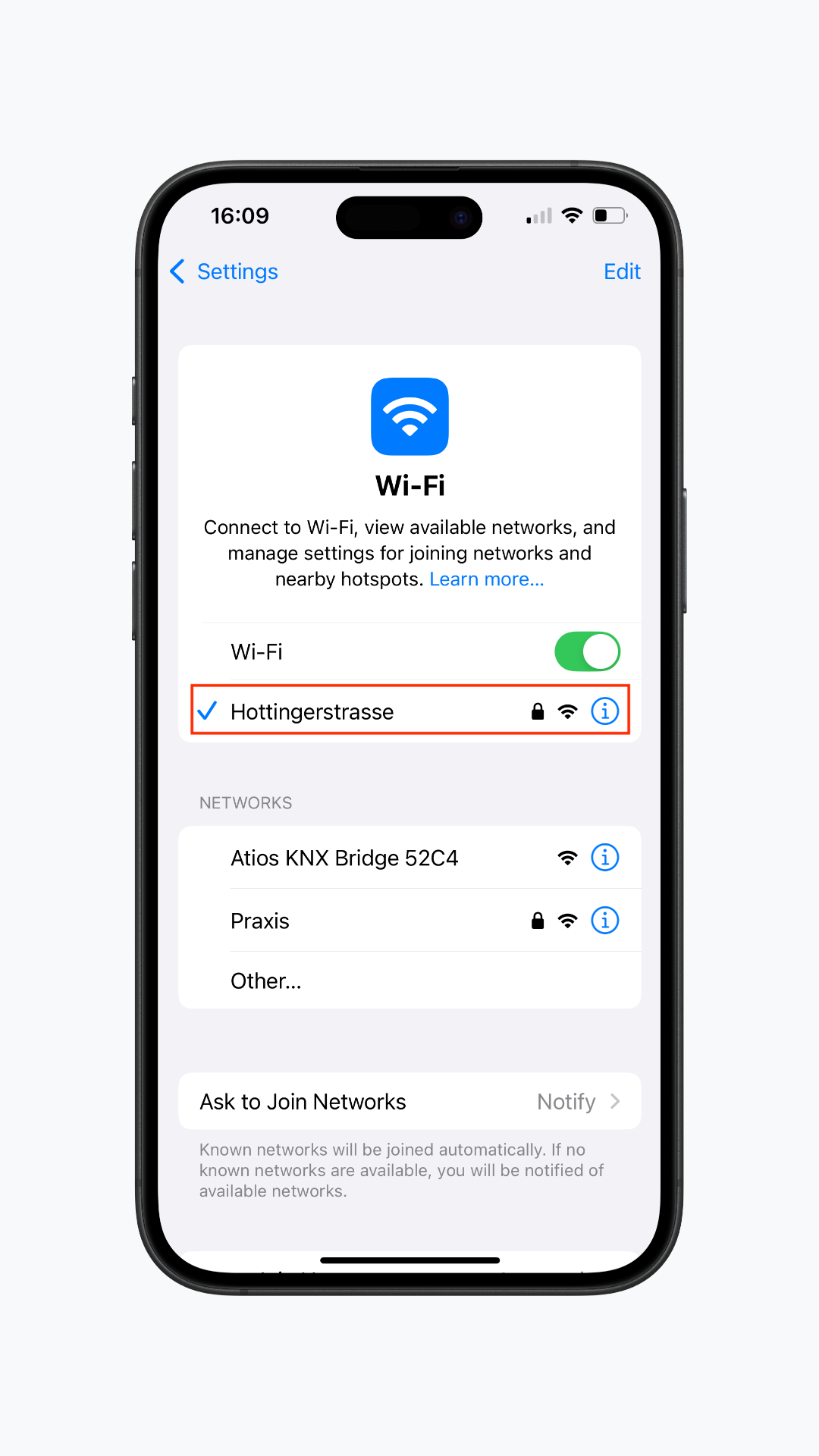
- After rebooting, open your phone or laptop and go to WiFi Settings (see screenshots)
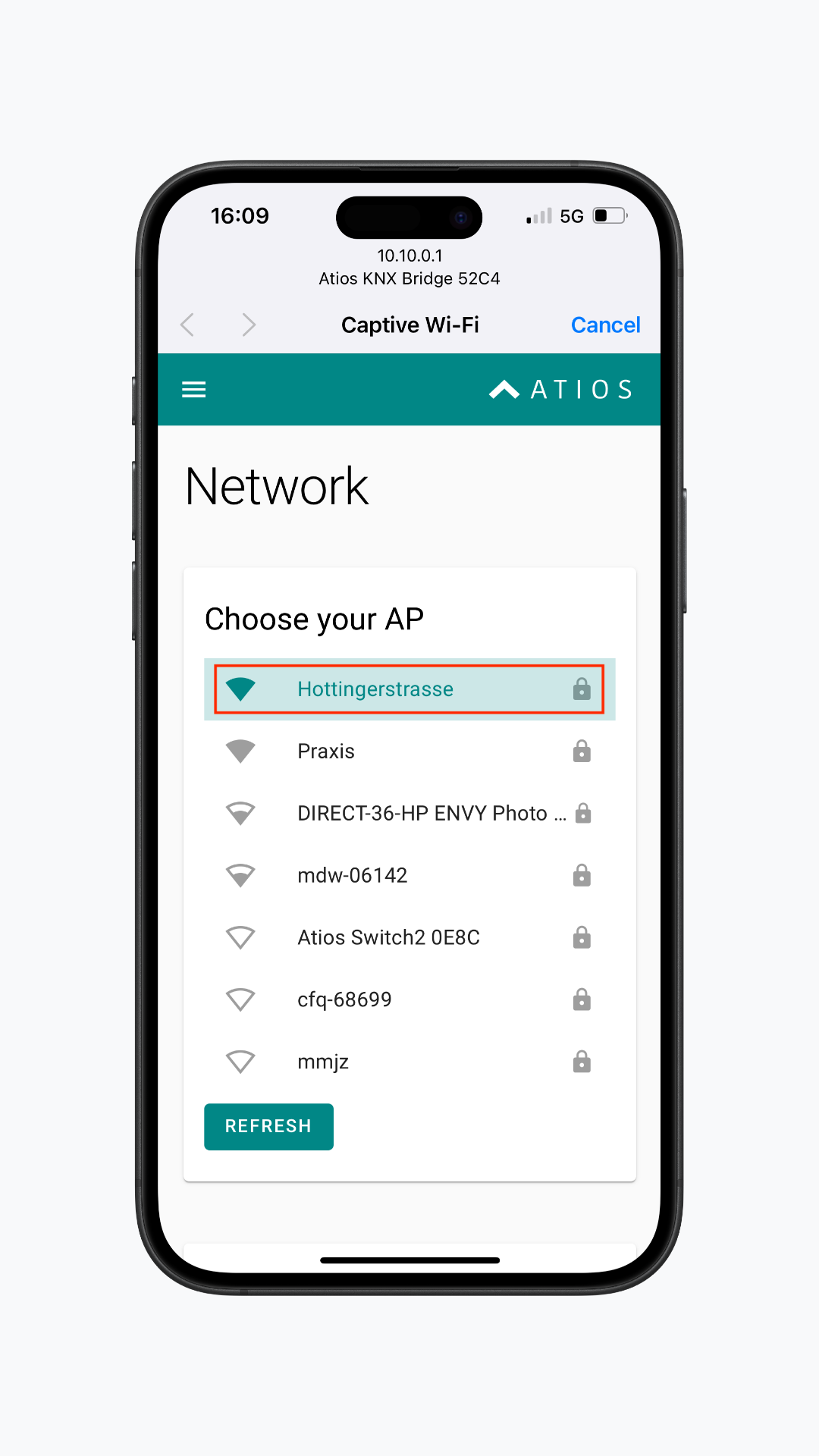
- Select Atios device (SmartCore or KNX Bridge) under networks. You will be redirected to the device's Network Settings
- Choose your personal WiFi network, insert the password and click Connect
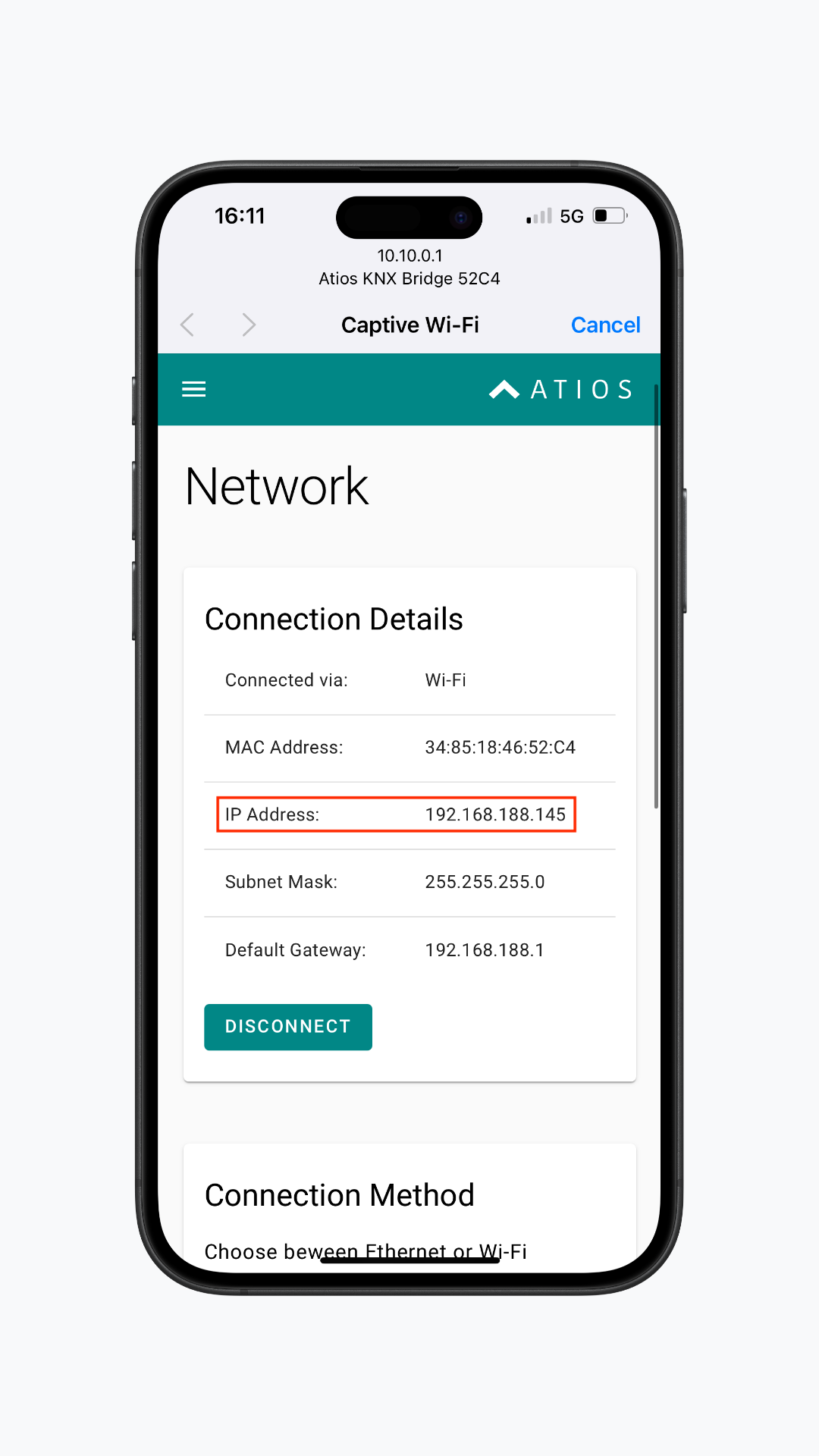
- Your Atios device is now connected to WiFi
- Under Connection Details, you will find the new IP address, which you can enter in your browser's address bar to access the Atios Webinterface
¶ IP Settings
Choose between automatic (DHCP) or Manual IPv4 configuration. Reboot is required.