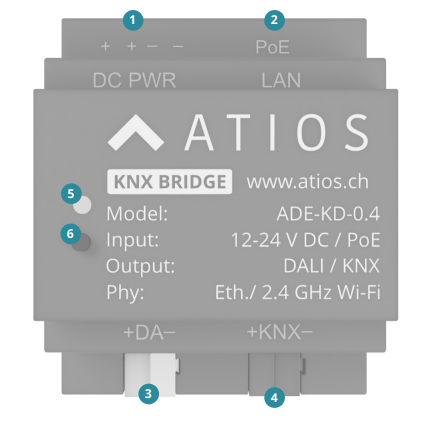
Mount the Atios KNX Bridge to the DIN Rail in the electrical cabinet.
¶ Power
There are two options to connect the device to power:
- Power over Ethernet: Use the Ethernet port ② to power the device over ethernet
- DC IN power supply: Connect to a dedicated 12-24 V DC power supply ①
¶ KNX Bus
Connect the Atios KNX Bridge to the KNX Bus ④.
¶ DALI Bus
This step is optional. Connect KNX Bridge to the DALI Bus ③.
¶ Network (LAN/WLAN)
To integrate the KNX Bridge into your network, choose one of the following methods:
- LAN: Connect an Ethernet cable with Power over Ethernet (PoE) to supply both data and power ②
- WiFi: Provide a 12–24 V DC power supply ① and connect the device to a WLAN network
For WLAN configuration, refer to the Network Settings
¶ Access the Webinterface
¶ Firmware ... and higher
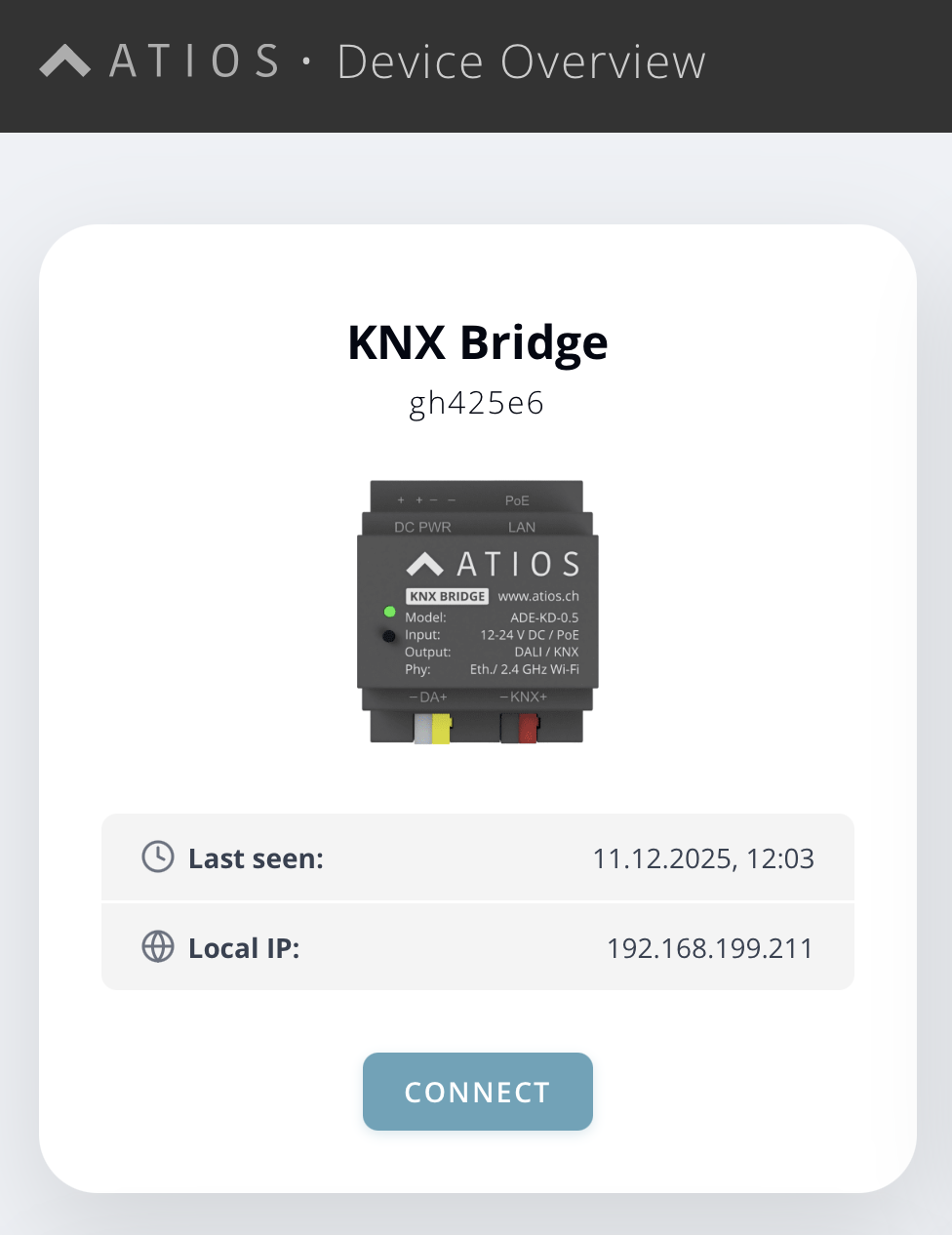
To access the web interface, go to setup.atios.ch, choose your KNX Bridge and press connect .
¶ Alternative access over IP address
Alternatively, use an IP scanner like LAN Scan to find the device on your local network, then enter the IP address directly into your browser (e.g. http://192.168.0.100).
¶ Reset
There are two ways to reset the device. Either navigate in our Webinterface to System Settings, section Actions and click Factory Reset, or press the button on the device ⑥ for 12-17 seconds until the purple light stops blinking.