Hardware Overview & LED Codes
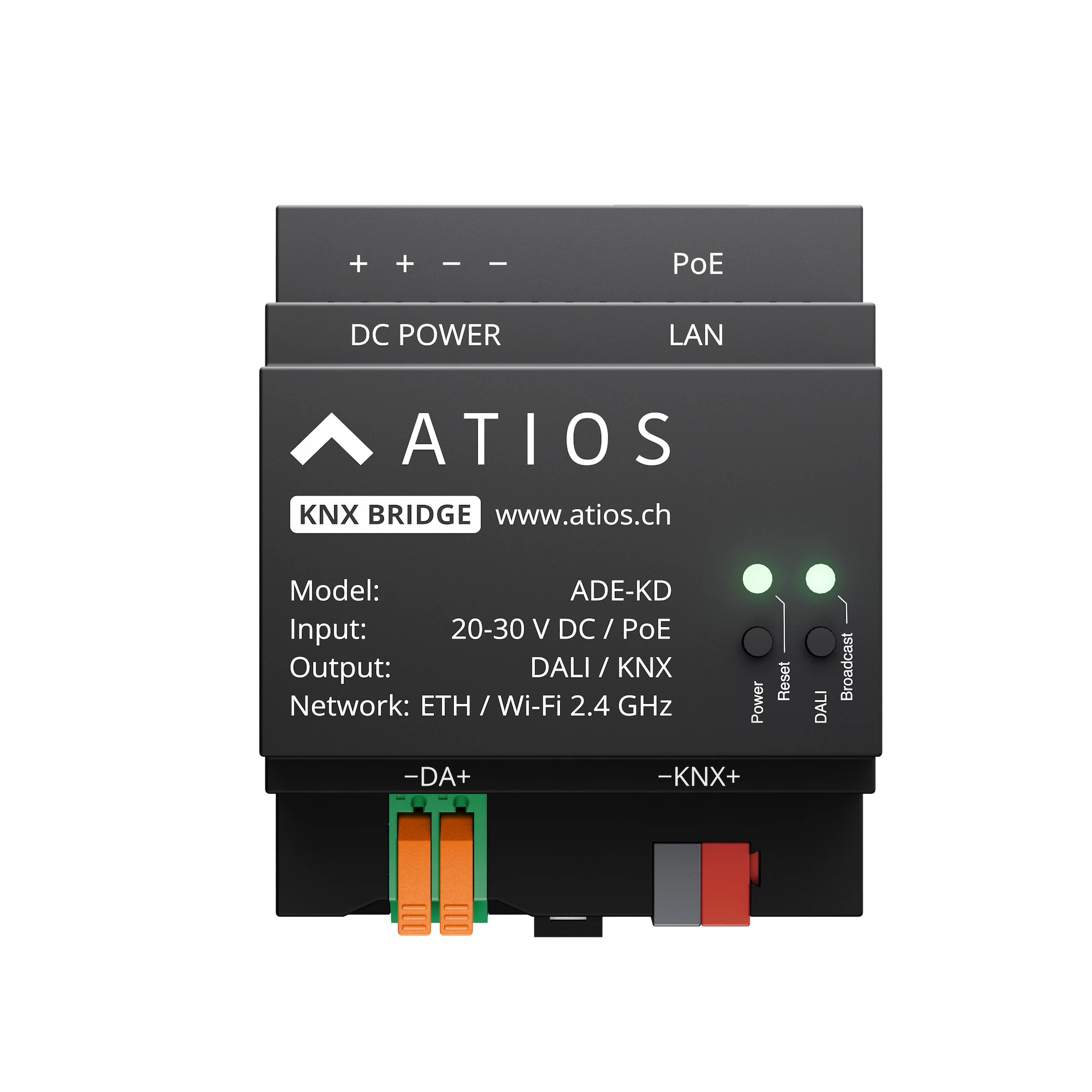
Power Button functions
| Action | Description |
|---|---|
| 2s Press | Press and release for reboot. Save your configuration beforehand and it will stay on the device, no export necessary. |
| 10s Press | Press and release for factory reset (LED constant purple). A factory reset will delete all your accessory configuration. This cannot be undone. Export your configuration first if you want to back it up (System Settings → Configuration → Export). |
| Double Press | Quick double press for KNX Programming Mode (LED solid red) |
| Long Press During Boot | Keep pressed during reboot until steady yellow light to enter safe mode |
Broadcast Button functions
| Action | Description |
|---|---|
| Short Press | DALI Broadcast On: all DALI lights turn on |
| Short Press again | DALI Broadcast Off: all DALI lights turn off |
Status LED codes
| LED | State | Meaning |
|---|---|---|
| 🔵 | Blinking | Ready for reboot, release button for action |
| 🔵 | Solid | Booting |
| 🟢 | Blinking | Establishing IP connection |
| 🟢 | Solid | Got IP address |
| 🟡 | Blinking | Matter pairing mode active |
| 🟡 | Solid | Safe mode |
| 🟣 | Blinking | Keep pressed until factory reset |
| 🟣 | Solid | Ready for factory reset, release button for action |
| ⚪ | Blinking | Access point mode active (WiFi) |
| ⚪ | Solid | Client connected to AP |
| 🔴 | Blinking | Network disconnected |
| 🔴 | Solid | KNX Programming Mode active |
| 🟠 | Blinking | Downloading and installing update |
DALI Status LED codes
| LED | State | Meaning |
|---|---|---|
| 🟢 | Solid | DALI bus powered and connected |
| 🟢 | Blinking | DALI activity |
| 🟡 | Solid | DALI bus overload |
| 🔴 | Solid | No DALI bus power |
| ⚫ | Off | DALI not in use |