
KNX IP 接口
Atios KNX Bridge 内置 KNX IP 接口,ETS 可以通过本地网络直接连接到 KNX 总线。
启用 KNX IP 接口
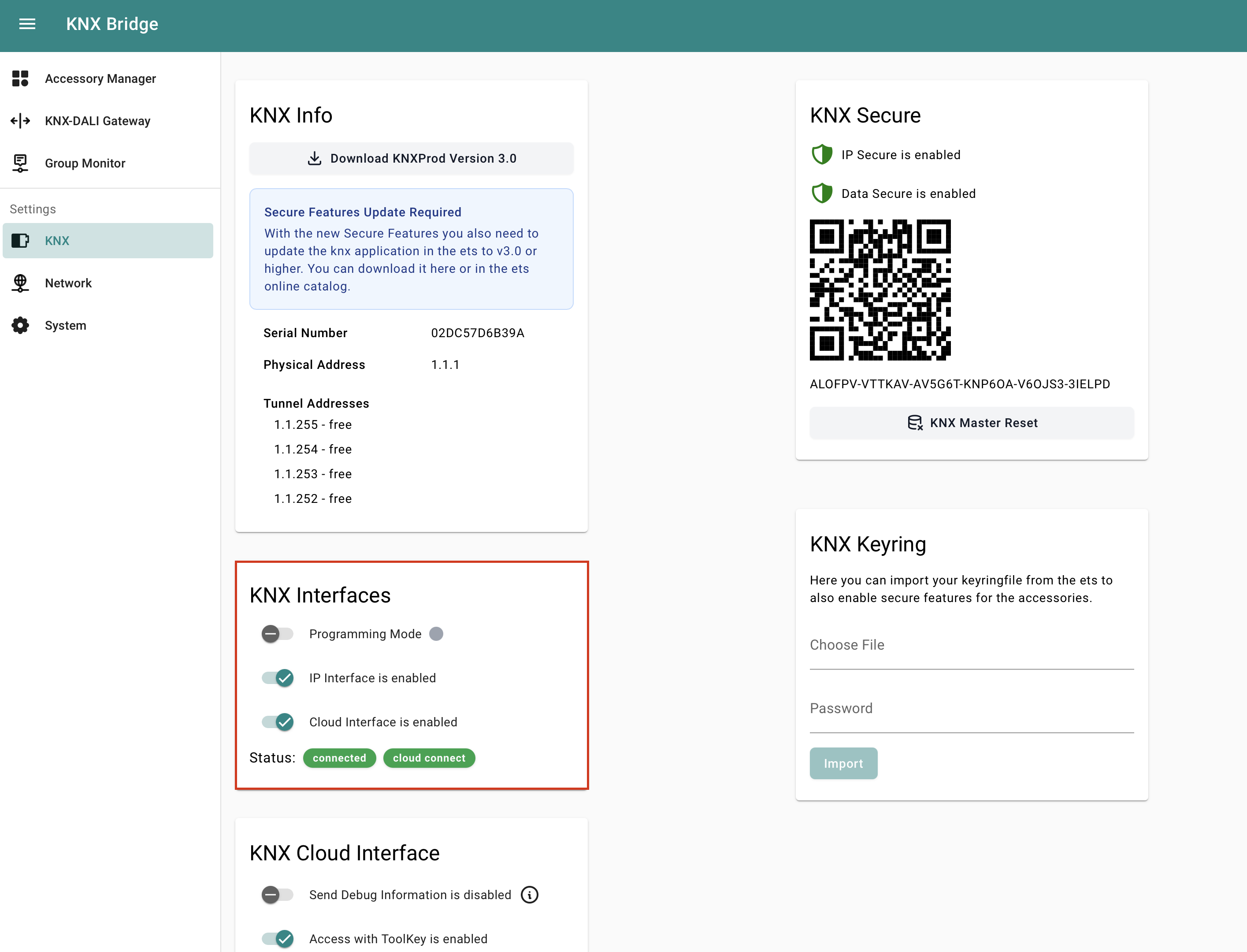
- 在这里连接你的 KNX Bridge,打开 Web Interface,然后进入 KNX Settings。
- 在 KNX Interfaces 下打开 IP Interface 开关。
在 ETS 中设置
- 从 ETS 的 Catalogue 下载最新的 KNX Bridge 产品数据库文件(.knxprod),并添加到拓扑中。
- 快速双击设备上的 Reset 按钮,进入编程模式;也可以在 Web Interface 的 KNX Settings → KNX Interfaces → Programming Mode 中启用。