
KNX Settings
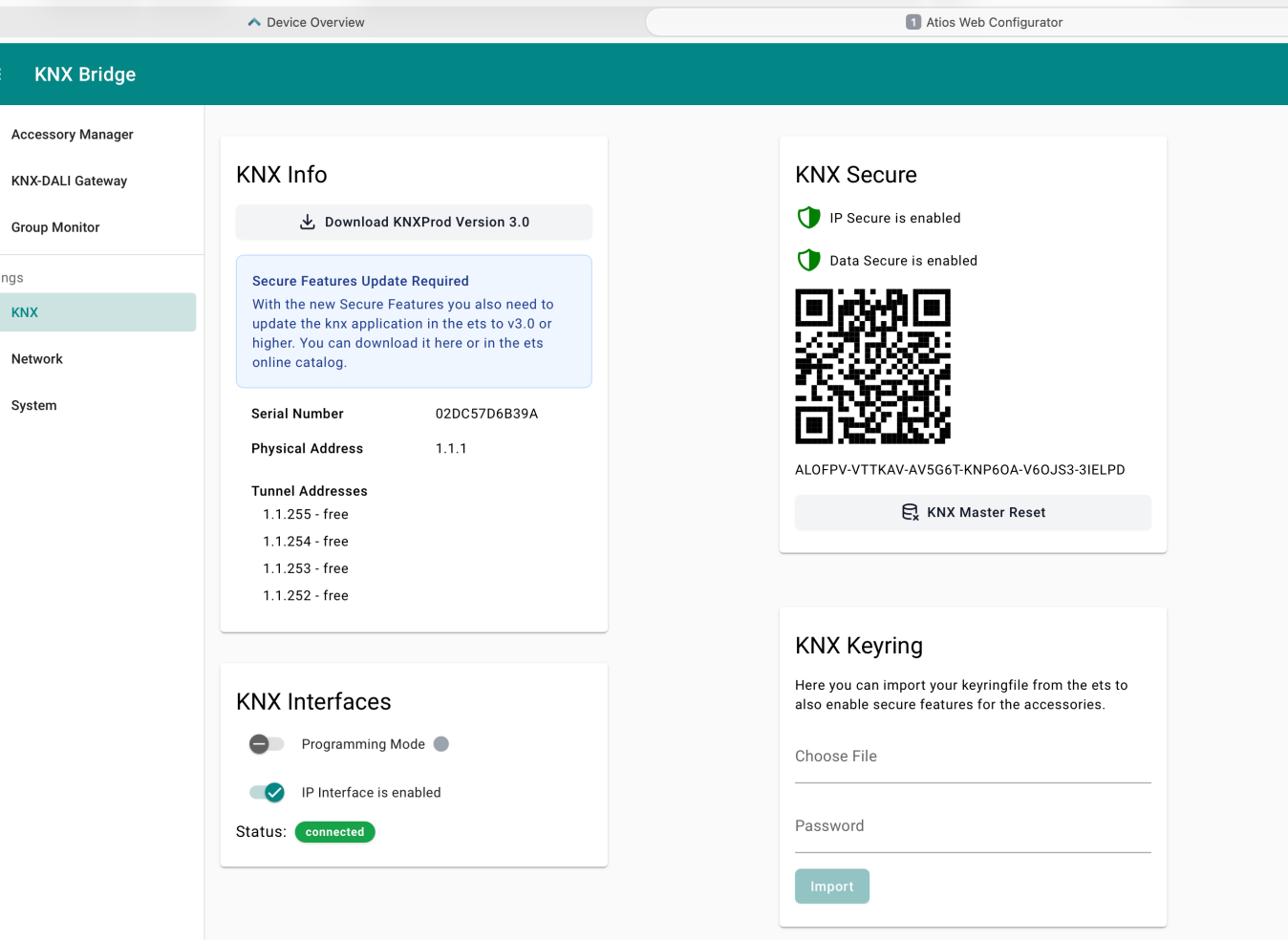
KNX Info
Shows the device serial number, physical KNX address, tunnel addresses, and current connection status. The physical address is assigned during ETS commissioning and identifies the KNX Matter Server on the bus.
KNX Secure
Enable IP Secure or Data Secure to encrypt KNX communication. A device-specific QR code and key string are shown here for use during ETS commissioning. See KNX Secure for full instructions.
KNX Master Reset resets only the KNX-related configuration on the device. Your accessories and their group address assignments will not be affected. Specifically:
- The physical address is reset to 15.15.255. You can use the serial number to set a new physical address.
- IP Secure and Data Secure are turned off. The KNX Secure certificate itself remains valid.
- The KNX application stops and needs to be re-downloaded via ETS.
WARNING
After a Master Reset, you must re-download the KNX application via ETS before the KNX Matter Server will function again.
KNX Keyring
Import your keyring file from ETS to enable KNX Secure features for your accessories. The keyring file contains the security credentials needed for encrypted KNX communication. If the keyring is password protected, enter the password before importing.
KNX Interfaces
Toggle Programming Mode on or off. In Programming Mode, ETS can assign the physical address and download the application. ETS reaches the KNX Matter Server over the KNX TP bus only. The KNX Matter Server has no KNX IP Interface and no Cloud Interface.