
Web Interface
Accessing the Web Interface
Go to setup.atios.ch, choose your KNX Bridge, and press Connect. Alternatively, enter the device IP address directly in your browser (e.g. http://192.168.0.100).
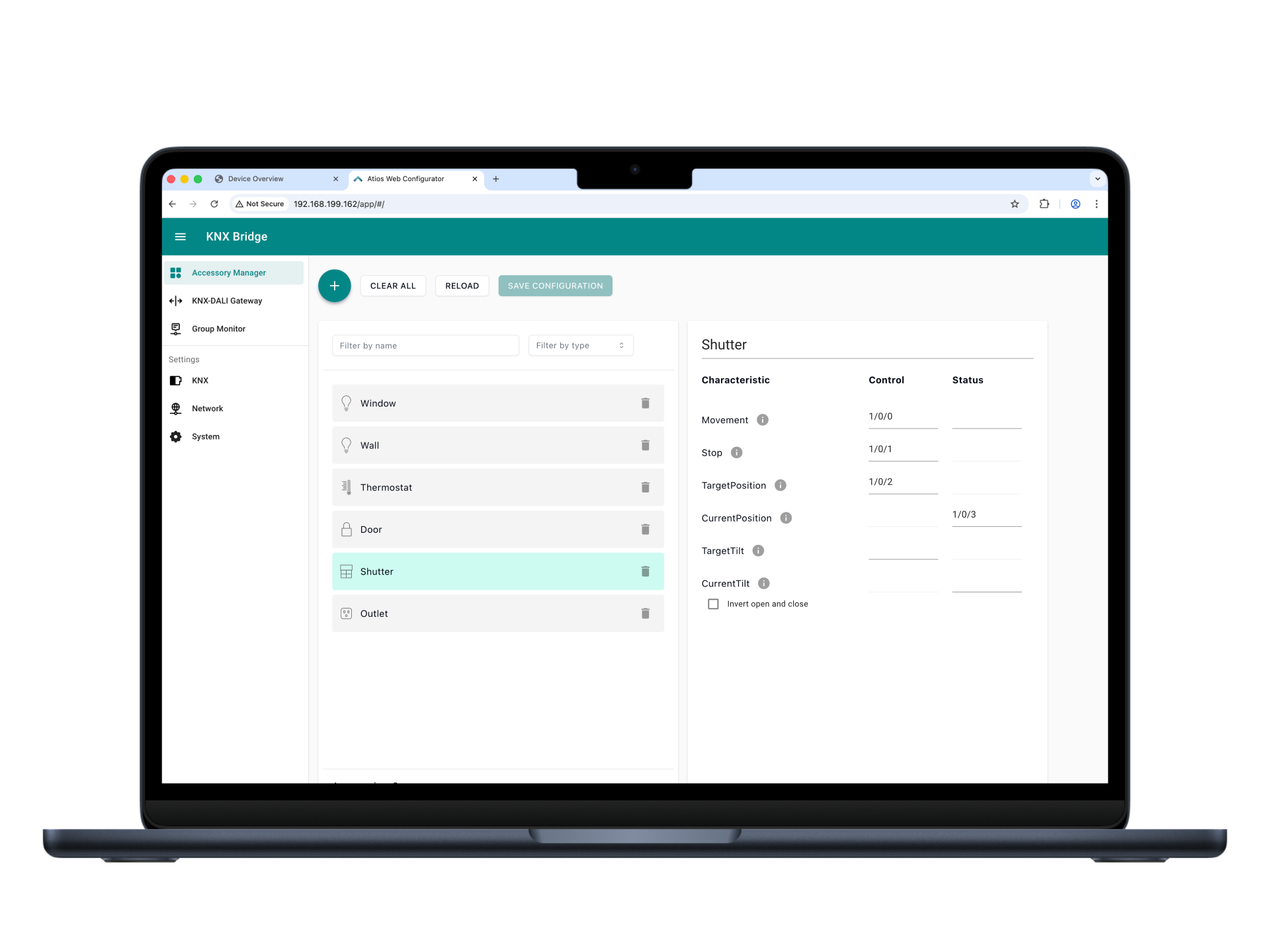
It consists of the following components:
- Accessory Manager: Add and manage devices on the KNX Bridge.
- KNX-DALI Gateway: Addressing and configuration of DALI lights.
- Group Monitor: Live KNX bus communication for troubleshooting and analysis.
- KNX Settings: Configure KNX device parameters, import ETS projects, and manage KNX Secure and IP interface settings.
- Network Settings: Configure Ethernet and WLAN connectivity, including IP settings and network diagnostics.
- System Settings: Firmware updates, Matter and HomeKit pairing, import/export of configurations, and system status.
For additional details, refer to the respective sections in this manual.