
DALI Configurator
With the KNX-DALI Gateway, you can control up to 64 DALI lights organised into up to 16 groups (DT0-DT8). The addressing and configuration of DALI lights is done in the Web Interface.
Getting Started
Before you begin, ensure that at least one DALI light is connected to the DALI Bus terminal on your KNX-DALI Gateway and that the DALI Bus is powered. You have two options:
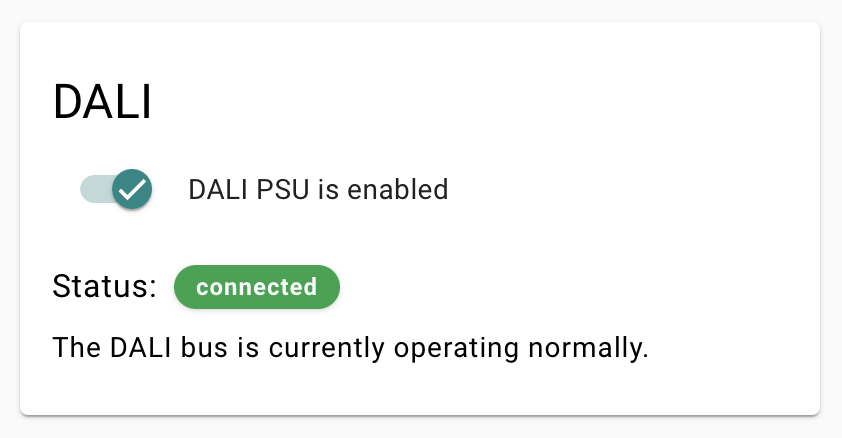
- Internal Power Supply: activate the DALI PSU in the DALI section of System Settings.
- External DALI Power Supply: if using an external power source, make sure to deactivate the internal one.
The DALI Configurator
- Go to the Web Interface (via setup.atios.ch or enter the IP address of your KNX-DALI Gateway).
- Click DALI Wizard and choose how to discover your lights, then click Scan:
- New DALI Installation: resets all DALI devices on the bus and auto-assigns fresh addresses. Use this for a brand-new installation; it clears any existing DALI addressing.
- Scan for DALI Devices: reads the existing DALI addresses and searches for unaddressed devices. Use this when your devices are already addressed, or when adding lights to an existing setup.
- The interface populates with DALI devices, which can be toggled on/off for testing.
- Use the DALI button to check if all lights respond correctly.
- Assign names and adjust fading time settings per light.
- Click Write after making changes to save settings.
- To control multiple DALI lights together without delays, group them into DALI groups (up to 16 supported).
- Click Save Project to store the list of DALI devices and settings locally on the KNX-DALI Gateway.
Once your DALI lights and groups are configured, finalise the setup in ETS.